
Checkout and order operations
Review checkout and manage confirmed orders.
On this page
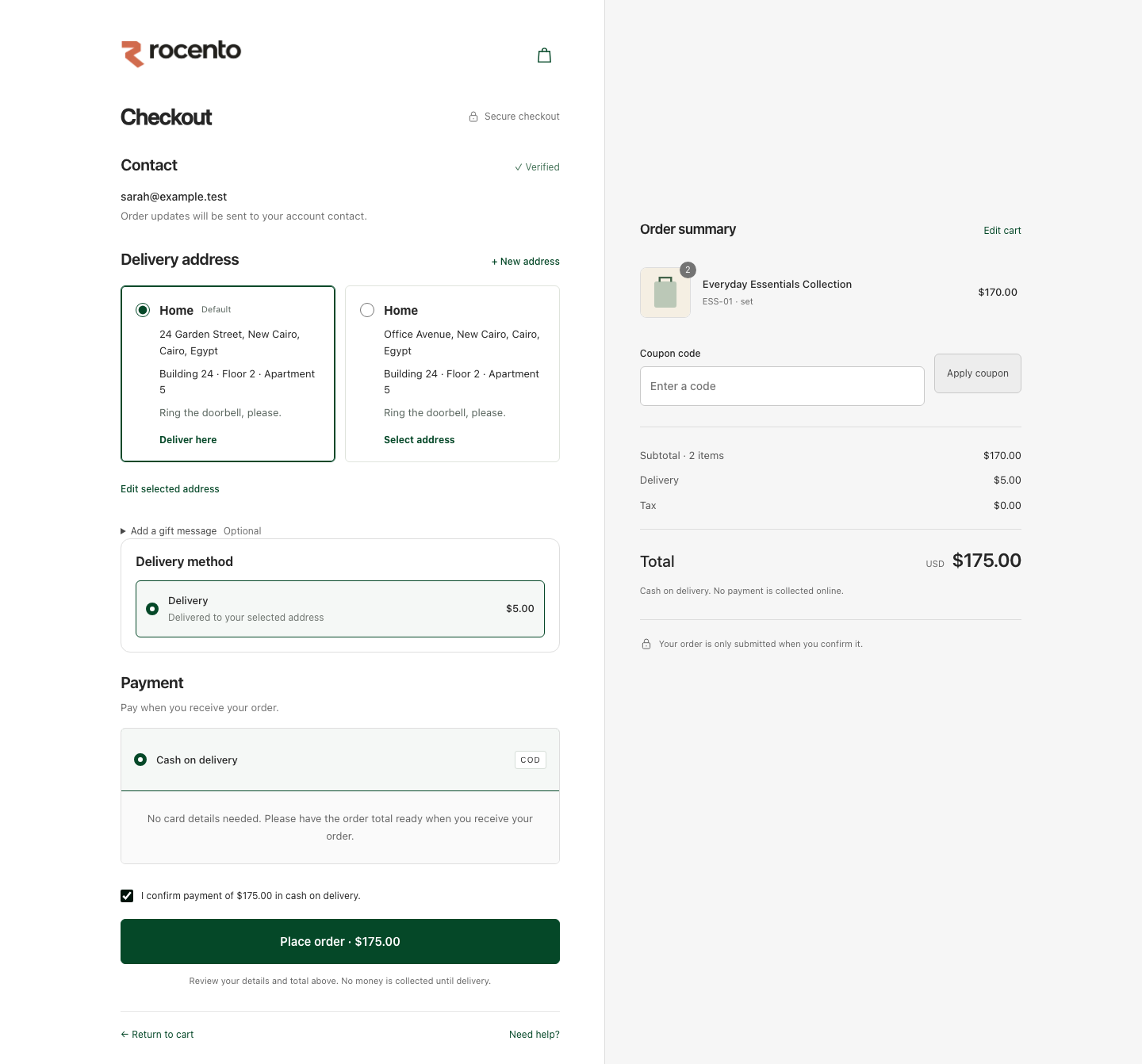
Review before committing an order
Checkout validates the basket, availability, prices, discounts, fulfillment, tax and delivery fee.
Cart, policy, market or reservation changes can require a fresh review. The saved order and placement response establish success.
Work an order through operations
- Find the order in Sales → Orders using supported references or filters.
- Review customer, items, amounts and fulfillment details.
- Use actions allowed by the current state and your permissions.
- Record required notes and verify the refreshed order.
- Use support tickets for customer follow-up.
Interpret recorded amounts correctly
- Orders retain their original commercial facts after settings or promotion changes.
- Compare subtotal, discount, delivery and tax components.
- Use the order number when the customer workflow expects it; Entity ID is separate.
- Sales reports measure booked value, not cash collected.
Resolve uncertain checkout outcomes
After a placement timeout, inspect order history before another purchase. Integrations retry the same operation using its original idempotency key.
Refresh stale quotes. Assistant checkout handoffs open review; conversational wording alone does not place an order.